Skip to content
Home
Events & Webinars
Library
A-Z Databases
Subject Databases
Scholarly Research
What is a Library Database?
Search Strategy and Keywords
Boolean Operators
Anatomy of a Scholarly Article
Types of Sources
Evaluate Sources
Google
Library Orientation
Video Tutorials
Textbooks
Contact the Library
General Education
Writing
APA Style
Plagiarism
Microsoft Editor
Using AI Responsibly
Math
Critical Thinking
Communications
Student Support
Bryan University Student Services
TimelyCare
Bryan College Student Services
Community Help and Services
Career Services
Career Services Central
Career Connections
Resumes & Cover Letters
Exit Interview & Employment Forms
Certifications
Spotlight Initiatives
Career Services Team
Student Clubs
Graphic Design Club
Healthcare Club
Experiential Learning Corner
Medical Assisting Club
Paralegal Club
Pharm Tech Club
Contact
Bryan University Department Contacts
Bryan College Department Contacts
Home
Events & Webinars
Library
A-Z Databases
Subject Databases
Scholarly Research
What is a Library Database?
Search Strategy and Keywords
Boolean Operators
Anatomy of a Scholarly Article
Types of Sources
Evaluate Sources
Google
Library Orientation
Video Tutorials
Textbooks
Contact the Library
General Education
Writing
APA Style
Plagiarism
Microsoft Editor
Using AI Responsibly
Math
Critical Thinking
Communications
Student Support
Bryan University Student Services
TimelyCare
Bryan College Student Services
Community Help and Services
Career Services
Career Services Central
Career Connections
Resumes & Cover Letters
Exit Interview & Employment Forms
Certifications
Spotlight Initiatives
Career Services Team
Student Clubs
Graphic Design Club
Healthcare Club
Experiential Learning Corner
Medical Assisting Club
Paralegal Club
Pharm Tech Club
Contact
Bryan University Department Contacts
Bryan College Department Contacts
Microsoft Editor
Microsoft Editor
Microsoft Editor (one-pager)
Microsoft Editor (slide deck)
Access MS Word via
Microsoft Online
with your Bryan credentials
OR
open the MS Word app on your computer.
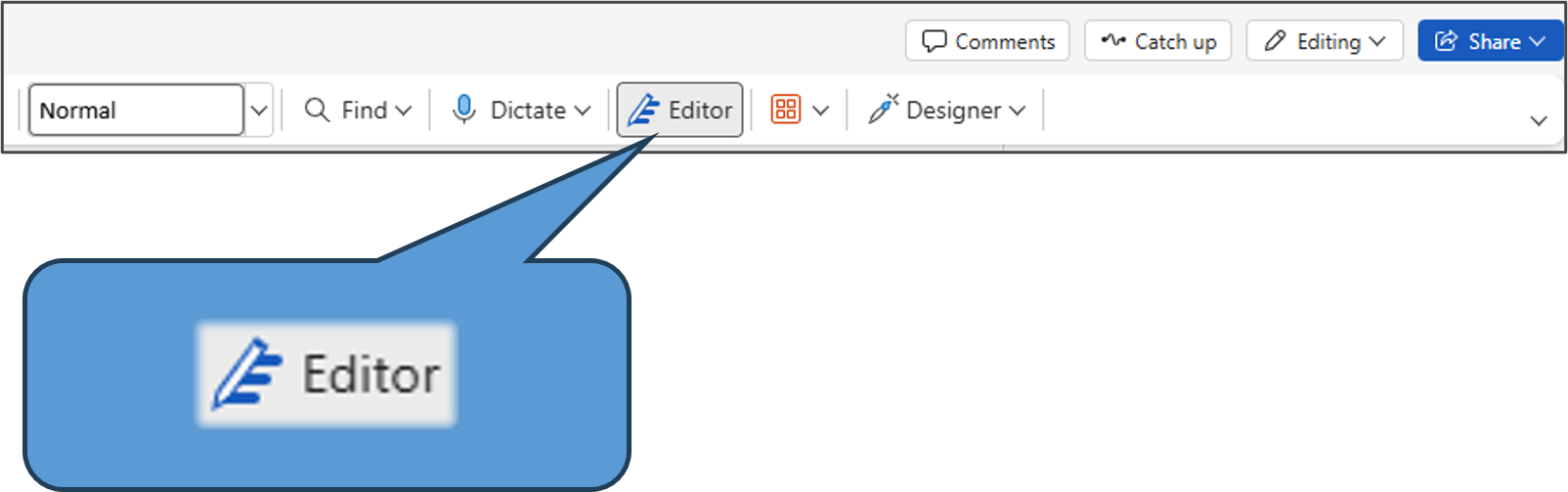
Select Editor in the toolbar.
Visit your app store to get the MS Editor
browser extension
for Edge or Chrome to utilize in Gmail, social media, and more on the web!
Review Microsoft’s materials to learn more about Editor.
Check grammar, spelling, and more in Word
Bring your best writer with Microsoft Editor
Bring out your best writer with Microsoft Editor
Editor Score
Percentage determined by the number and type of suggestions, as well as the length of the document. High score = clear writing.
Spelling
Highlights spelling mistakes to correct. (Red squiggly underline)
Grammar
Issues such as sentence fragments, missing words and punctuation, capitalization, and commonly confusing words. (Double blue underline)
Text Predictions
Anticipates your next words and provides suggestions in grey. Simply “tab” to accept the suggestions.
Clarity
Identifies phrases that could benefit from simpler wording, switch from passive to active voice, and avoid jargon. (Dotted blue underline)
Personal Dictionary
Add words to prevent Editor from marking them as misspelled.
Document Stats
Word, character, and paragraph counts, along with the time to read or speak.
Similarity Check
Analyzes document for content similar to text online.
A great reminder to cite the original source!
Helps avoid plagiarism!