This guide explains how to send individual and bulk SMS messages to students using Salesforce and the Mogli SMS tool. It is used for academic communication, reminders, and student support outreach. Only full-time faculty, Program Directors (PDs), Success Coaches, and users with administrator access can send SMS messages through Salesforce.
Use this process to send a direct text message to an individual student through Salesforce using the Mogli SMS tool. This method is best for one-on-one communication such as reminders, check-ins, attendance follow-ups, or time-sensitive updates.
All messages sent through Salesforce are recorded in the student’s communication history. Be sure to keep messages clear, concise, and appropriate for academic communication standards.
Before sending, confirm that you are in the correct student record and that the message is intended for that specific student.
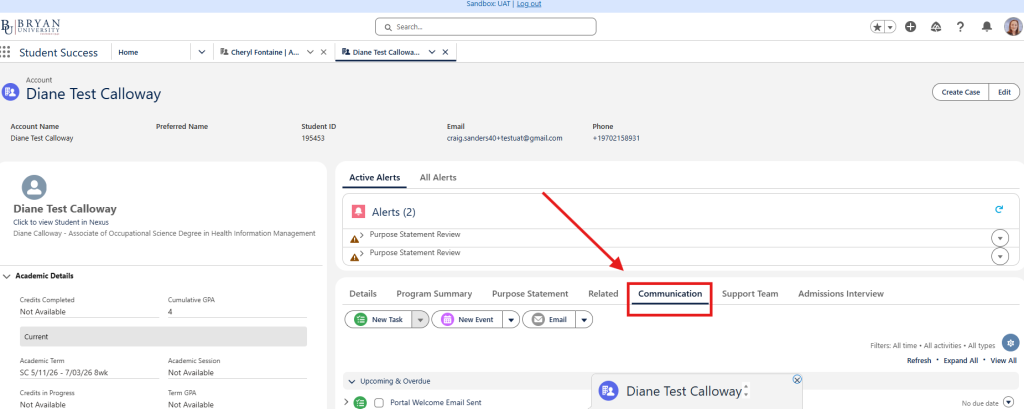
1. Open the student’s record in Salesforce. 2. Select Communication in the Student’s tab
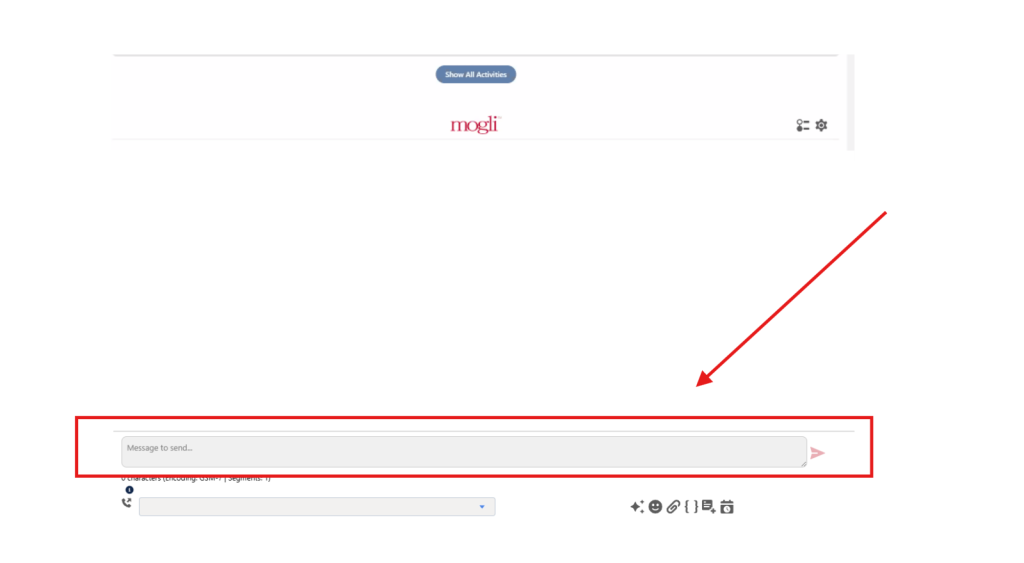
3. Scroll to the bottom of the page until you see Mogli
4. In the Mogli text box, type your message and send.
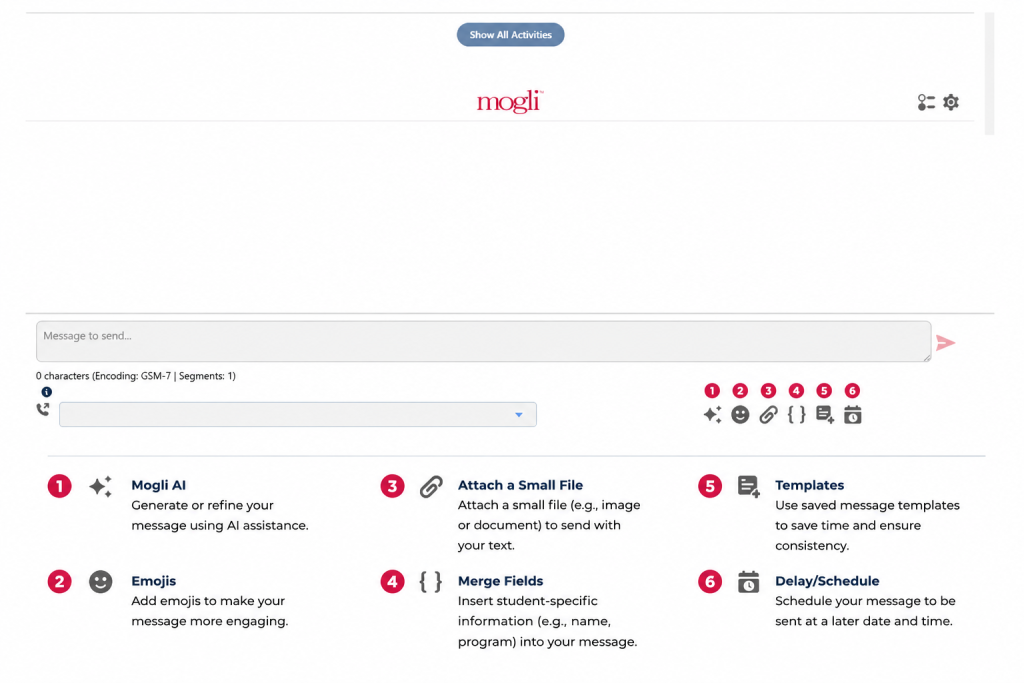
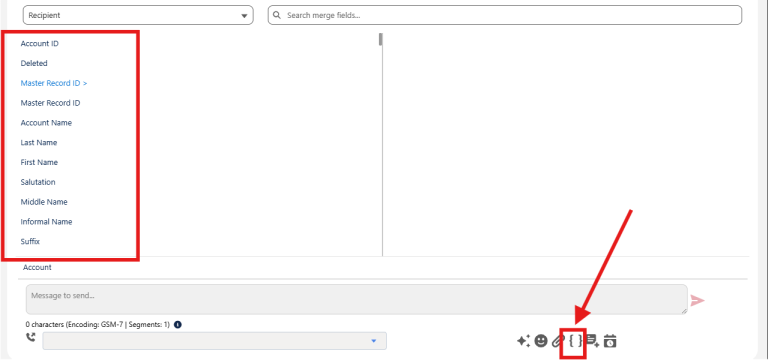
Below the text message box, you'll find several tools to help personalize and manage your communication:
Use this process to send a single text message to multiple students at once through Salesforce using the Mogli SMS tool. This method is best for group communication such as reminders, announcements, deadlines, attendance follow-ups, or general program updates.
Each student will receive the message individually (not as a group chat), and all messages are recorded in each student’s communication history in Salesforce.
Before sending a bulk SMS, carefully review your selected students and ensure your message is appropriate, clear, and relevant to all recipients.
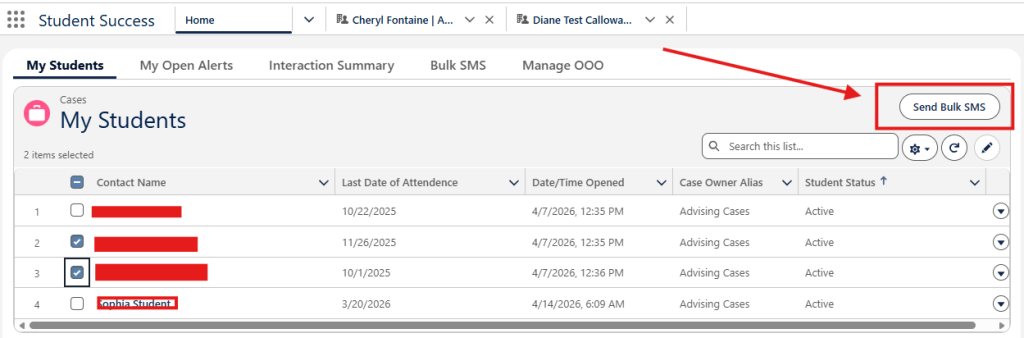
1. From the Salesforce Home page, select My Students.
2. Use the checkboxes to select the students you want to message.
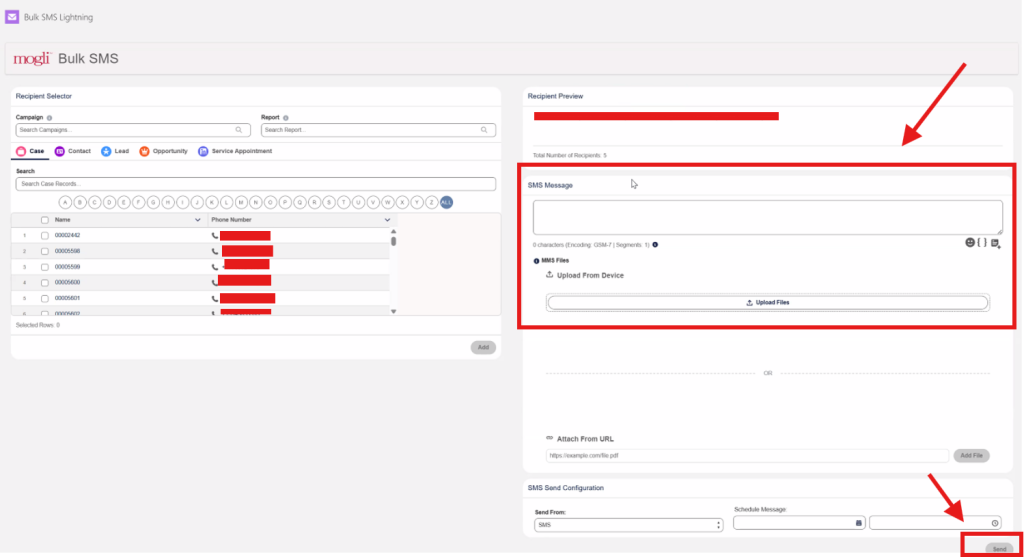
3. Once your students are selected, click Send Bulk SMS in the upper-right corner of the page.
4. Enter your message in the text box.
5. Use the available Mogli tools, such as:
Emojis – Add emojis to your message.
Merge Fields – Insert student-specific information, such as first names.
Templates – Use a saved message template.
Attach Files – Attach a small image or document
Schedule Message – Send at a later day or time
6. Review your message and recipients.
7. Click Send to deliver the message to all selected students.
IMPORTANT: When sending bulk messages, avoid manually typing student names into the message. Instead, use Merge Fields (modifiers) to automatically insert each student’s first name. This ensures each message is personalized correctly and prevents the same name from being repeated for all recipients. If personalization is not needed, you can also skip using a name entirely to avoid errors or incorrect insertions across multiple students.