Creating Effective Slide Decks for Student Learning

Whether you’re leading a live session or recording a mini-lesson or assignment walkthrough, your slides should support learning—not compete with it. Well-designed slides help students stay focused, process information more easily, and feel more confident engaging with the material.

Before you dive into the strategies below, watch this short video for a quick, engaging look at what makes slides effective—and what to avoid.

As you watch, consider:

  • What makes certain slides more engaging than others?
  • How does simplicity impact understanding?
  • What might you change about your own slides?

Start With Purpose

It is important to designing with intention.

 ➡️Ask yourself:

  • What should students learn or be able to do after this?
  • What truly needs to be on the slide vs. explained out loud?


Slides should highlight key ideas—not serve as a script.
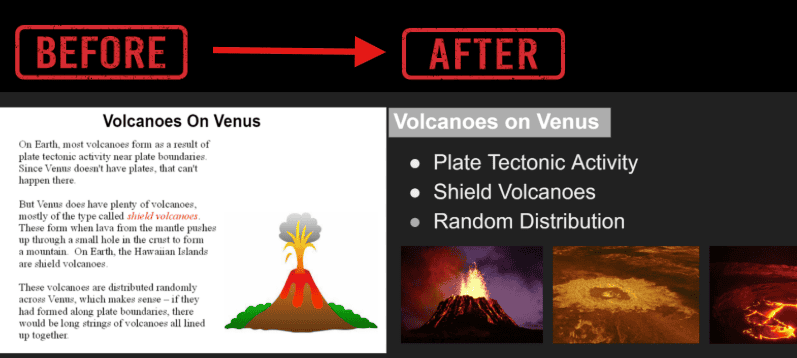
Slides that are text-heavy can overwhelm students and distract from your teaching. This example shows how the same content can be simplified into clear bullet points that highlight the main ideas.

Before vs. After: Notice how concise bullet points and a single idea per slide make the content easier to scan and understand.

Key strategies for effective slides:
✅ Limit each slide to one main idea
💡 Use short phrases instead of paragraphs
🧹 Avoid clutter—white space helps students process information
🎨 Stick to clean, consistent layouts

Illustration of volcanoes on Venus showing plate tectonic activity, shield volcanoes, and random distribution, highlighting geological features of Venus.

Live Sessions

  • 🎤 Build in opportunities for interaction (polls, chat, reflection questions)
  • ⏸️ Pause regularly to check for understanding
  • 📄 Use slides to guide discussion, not as a script—expand on the content verbally

Recorded Videos (Mini-Lessons / Walkthroughs)

  • 🎯 Keep slides simple and highly visual
  • ⏱️ Break content into short segments (3–7 minutes)
  • 📌 Use slides to guide pacing and orientation for students
  • ✨ Add cues like “Step 1,” “Key Tip,” or “Watch for This” to highlight key points
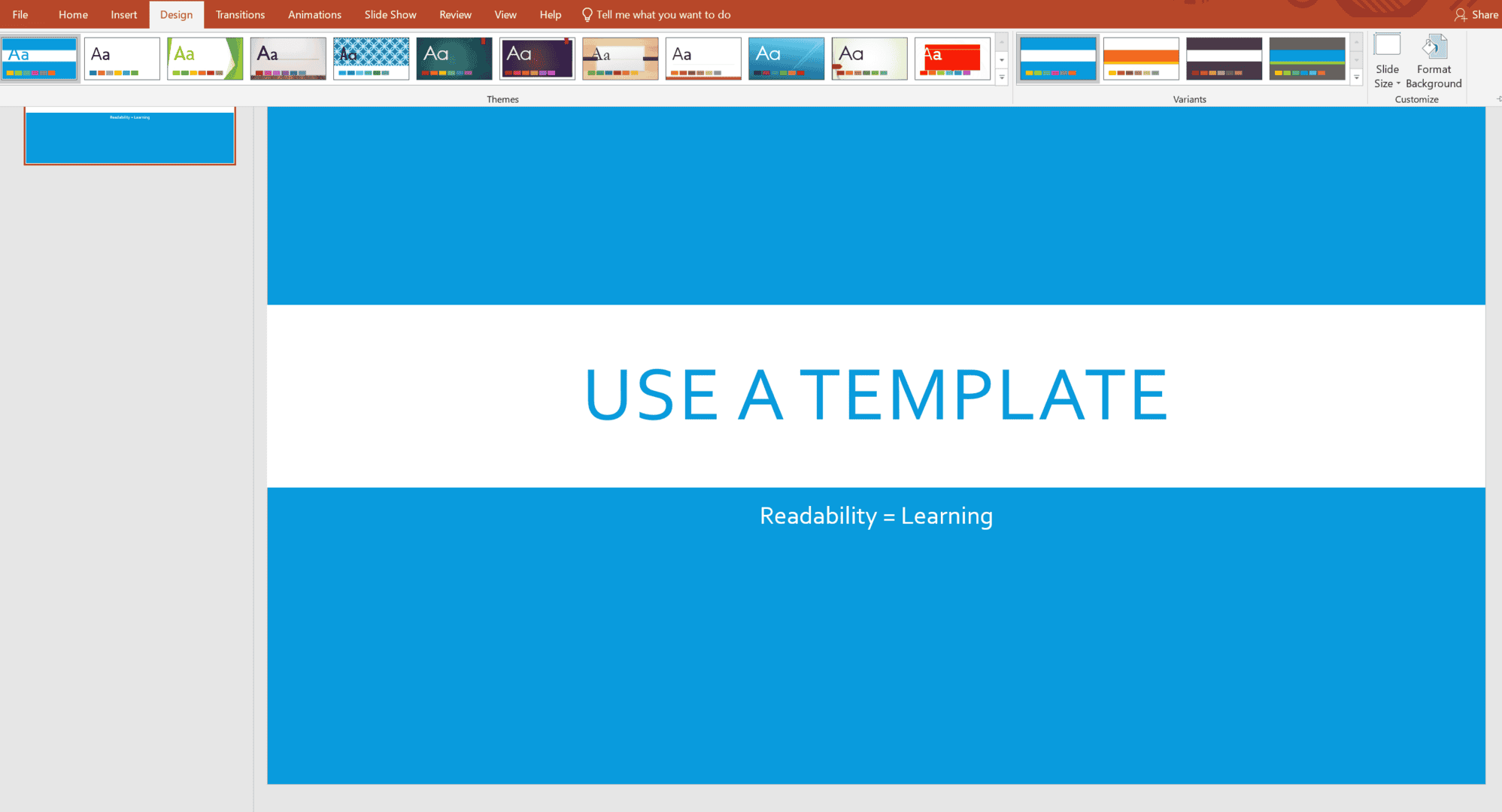
Slides should be easy to read at a glance. Small changes in font, color, and layout make a big difference in student comprehension.

Key tips:

  • 🎯 Use large, clear fonts (24–32 pt minimum)
  • 🎨 Choose high contrast colors
  • 🚫 Avoid busy backgrounds or decorative fonts
  • 🔹 Keep formatting consistent across slides
  • 📑 Use a simple PowerPoint template to keep fonts, colors, and layouts uniform
Tips for designing impactful slide decks to enhance presentations and audience engagement.

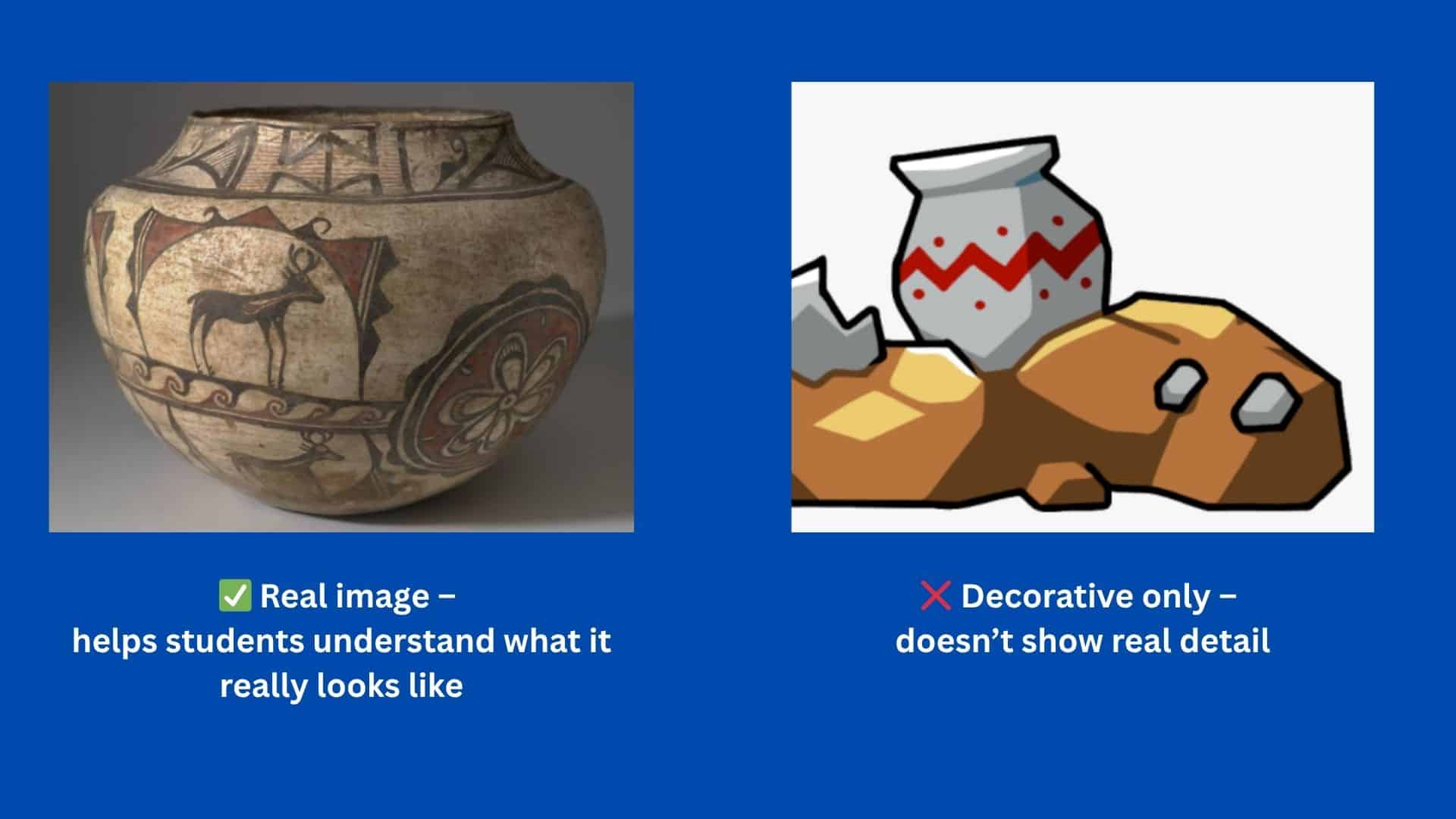
Visuals can make complex ideas easier to understand but only when used purposefully.

Tips for effective visuals:

🖼️ Include diagrams, charts, or screenshots to illustrate key points
✨ Highlight the most important part of the visual (arrows, circles, or callouts)
🚫 Avoid visuals that are purely decorative or distracting
📌 Use consistent style and formatting to match the rest of your slides

Quick reminder: A visual is only helpful if it adds meaning. Don’t use it just because it looks “pretty.”

Image of ancient pottery demonstrating authentic artifacts for creating engaging slide decks, emphasizing the importance of real visuals in presentations.

Final Check Before You Share

Before publishing or presenting your slides, ask yourself:

✅ Would a student understand the main idea of each slide at a glance?
✅ Are my slides supporting—not overwhelming—the content?
✅ Is the design clean, consistent, and easy to follow?
✅ Have I considered different formats and accessibility?

Tip: If possible, preview your slides on different devices or ask a colleague to review them. They may catch readability or clarity issues you missed.

Copyright 2025 | Bryan University | 350 West Washington Street, Tempe, AZ 85281

BRYAN UNIVERSITY LOGO SEAL

Copyright 2025 | Bryan University | 350 West Washington Street, Tempe, AZ 85281