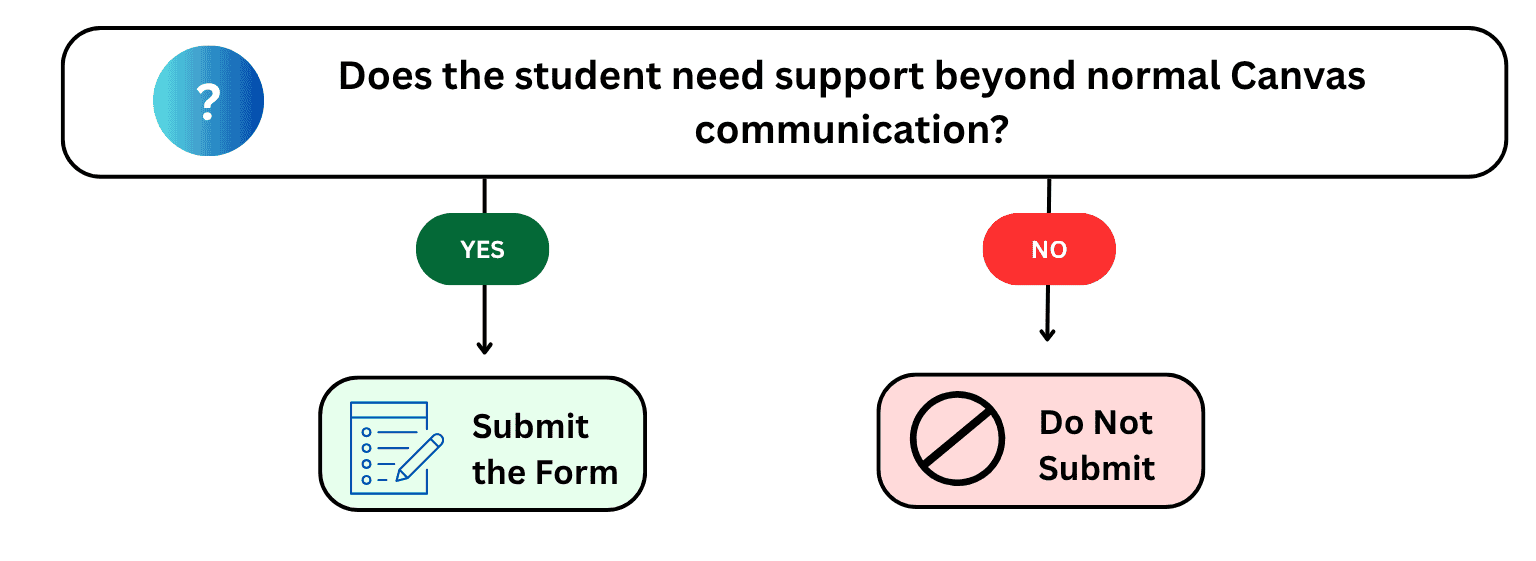
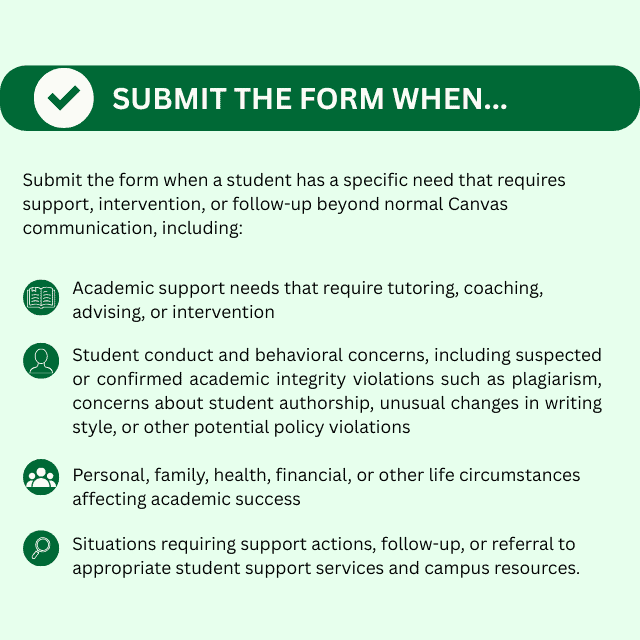
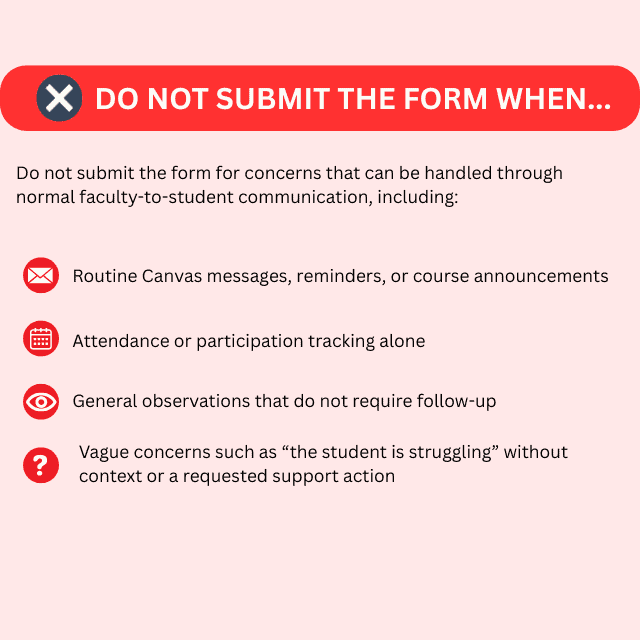
When in doubt, if you believe a student may benefit from additional support or outreach submitting the form is always appropriate.
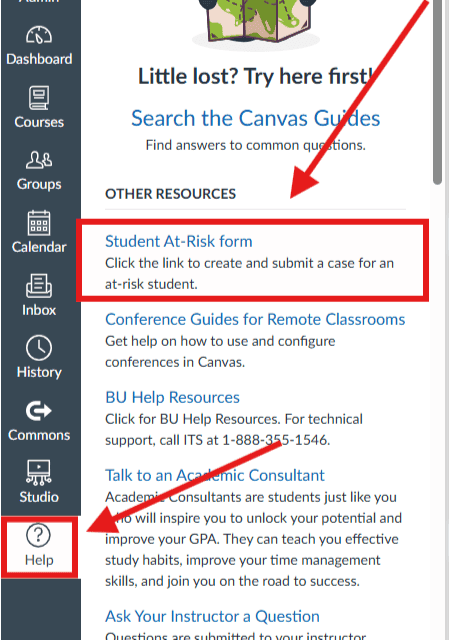
Follow the steps below to access the Student At-Risk Form in Canvas:
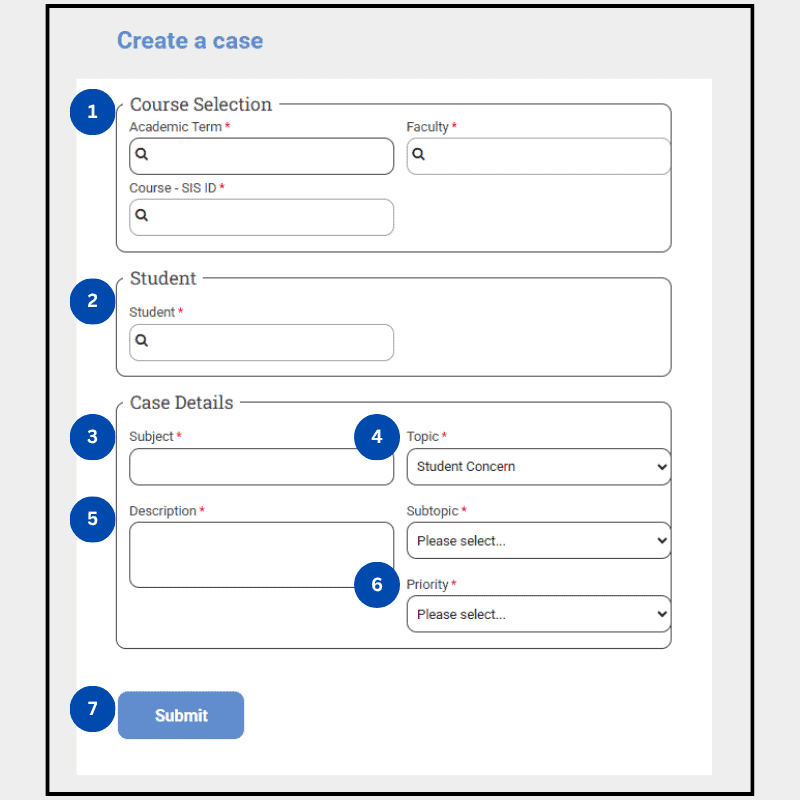
Use the steps below to complete the Student At-Risk Form in Canvas. Expand each section for guidance.
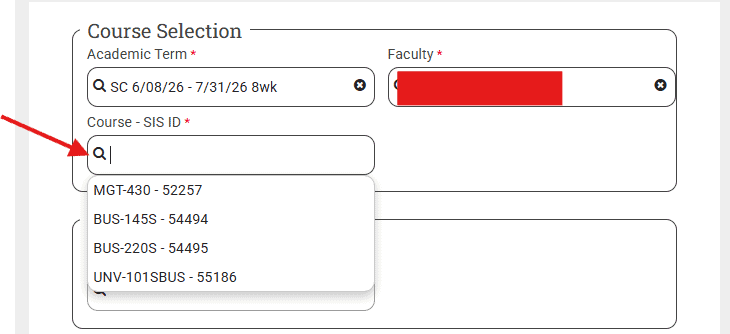
In this section, you will enter the academic term and select the correct course from the dropdown menus.
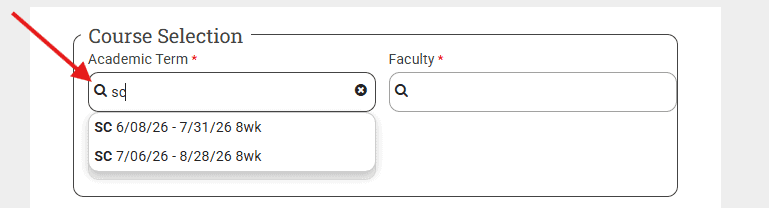
Academic Term:
Start by typing “SC”, followed by the module start date using numbers.
Example format:
SC 5/11/26 – 7/03/26 (8 wk)
As you type, a dropdown will appear—select the correct term that matches the module dates.
Important: Always use SC (never SP).
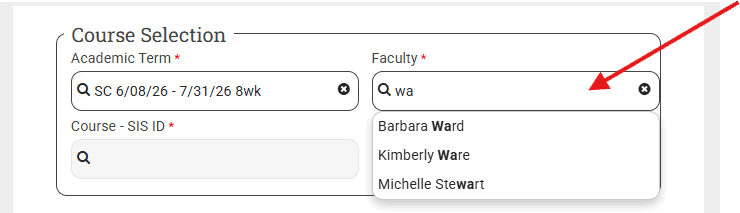
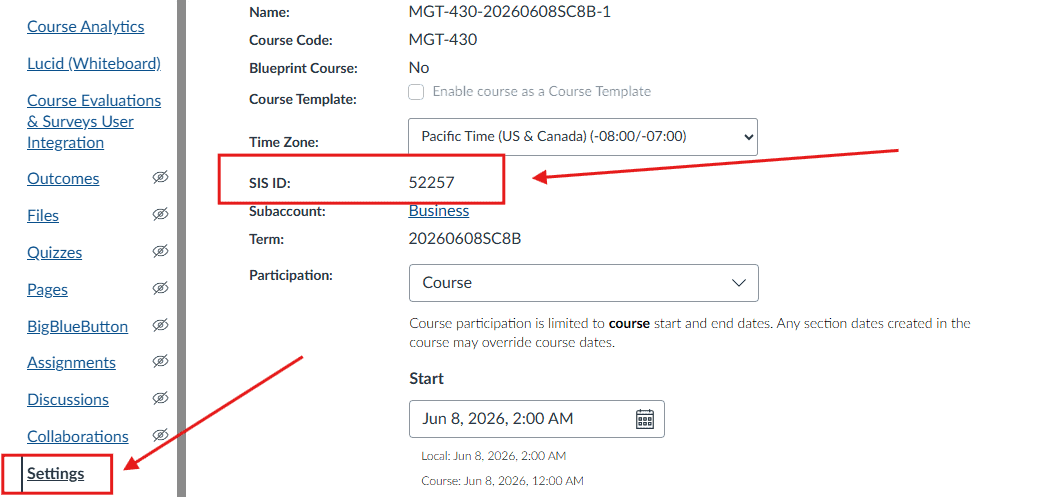
Course Selection:
Begin by typing the three-letter course prefix (e.g., BUS).
Example:
Type BUS → then select the correct course from the dropdown list (e.g., BUS-200S).
You may scroll through the dropdown or continue typing the full course code to narrow the options.
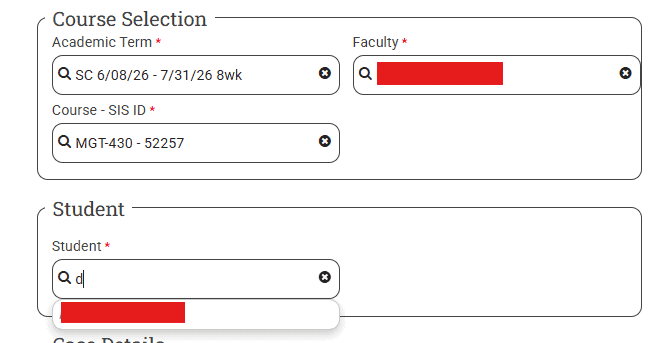
A list of students enrolled in the selected course and section will appear.
You may:
Click to select the correct student.
Enter your Bryan email address and your full name (first and last).
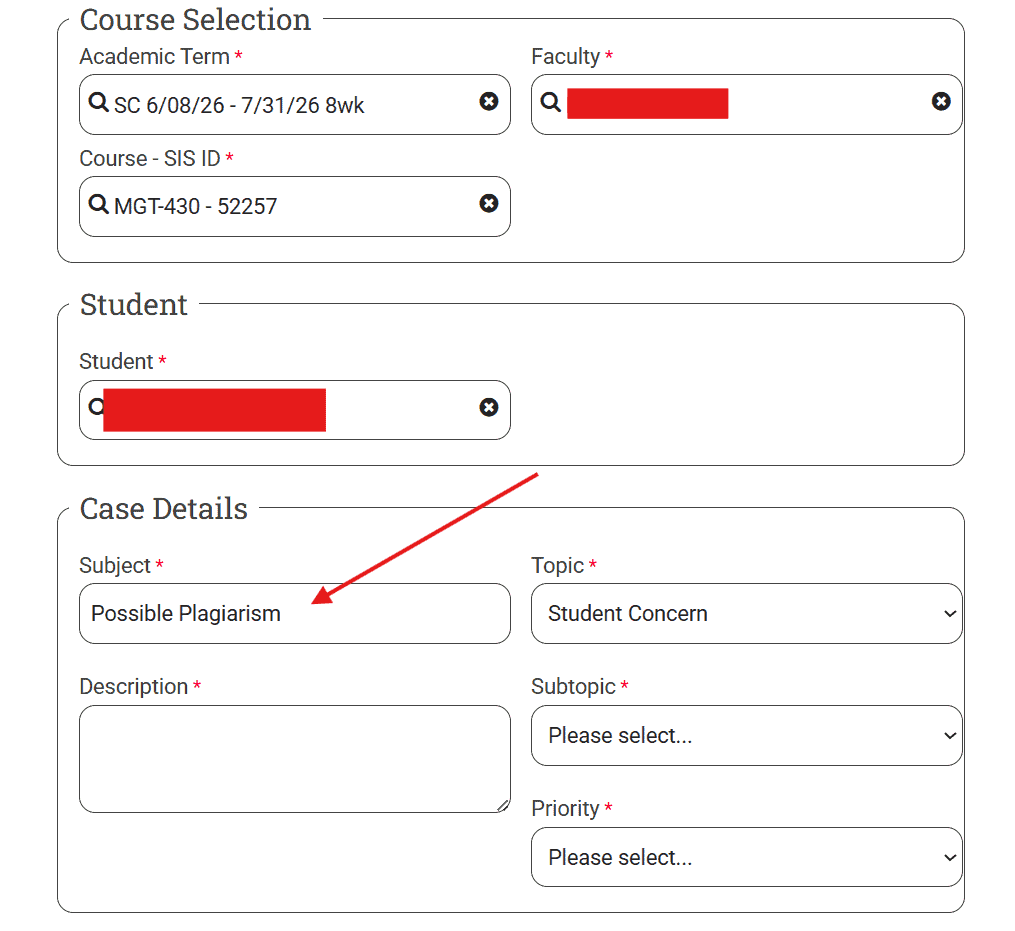
The topic will automatically default to “Student Concern.” No action is needed for the topic field.
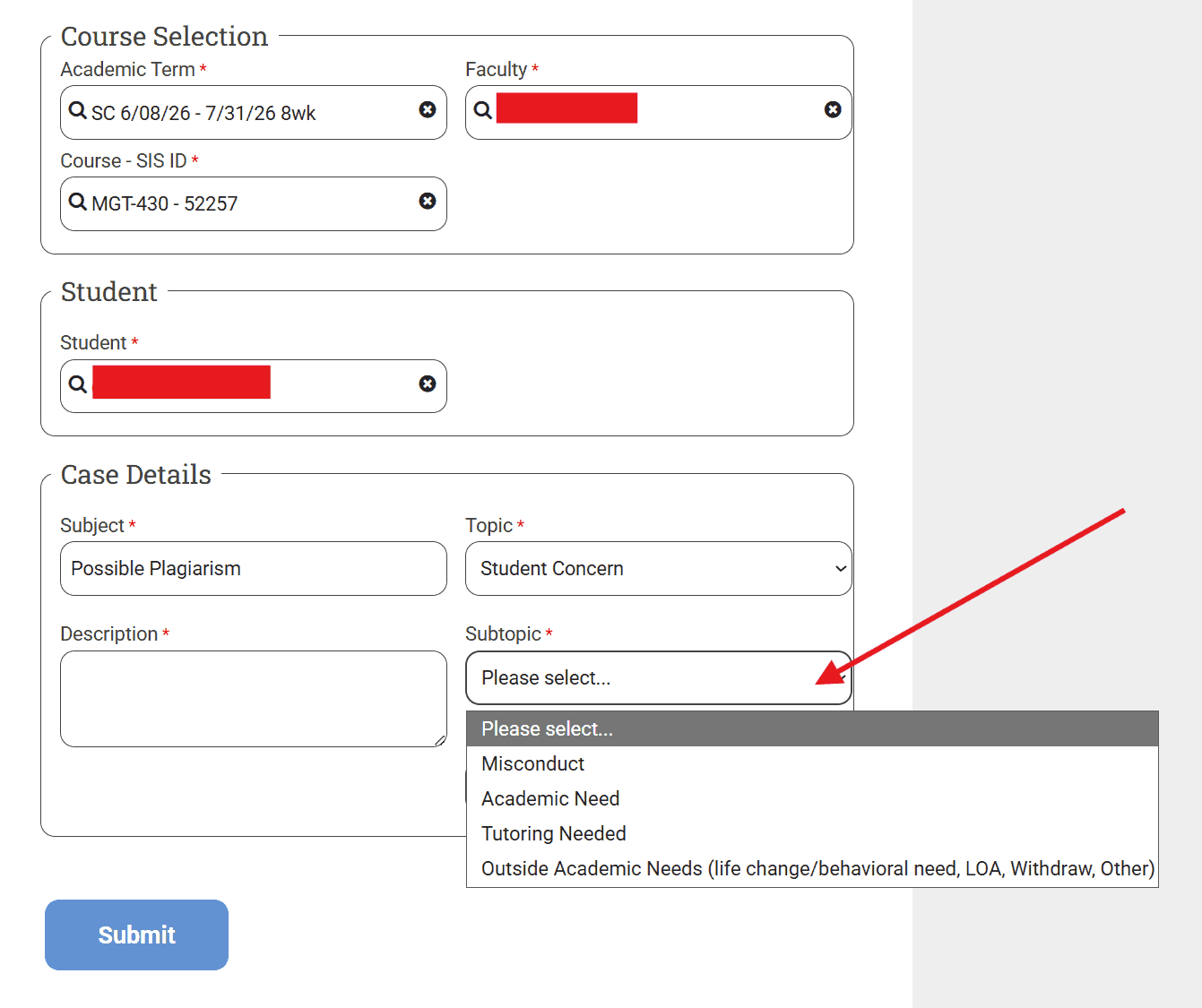
For Subtopic, select the option that best matches the concern:
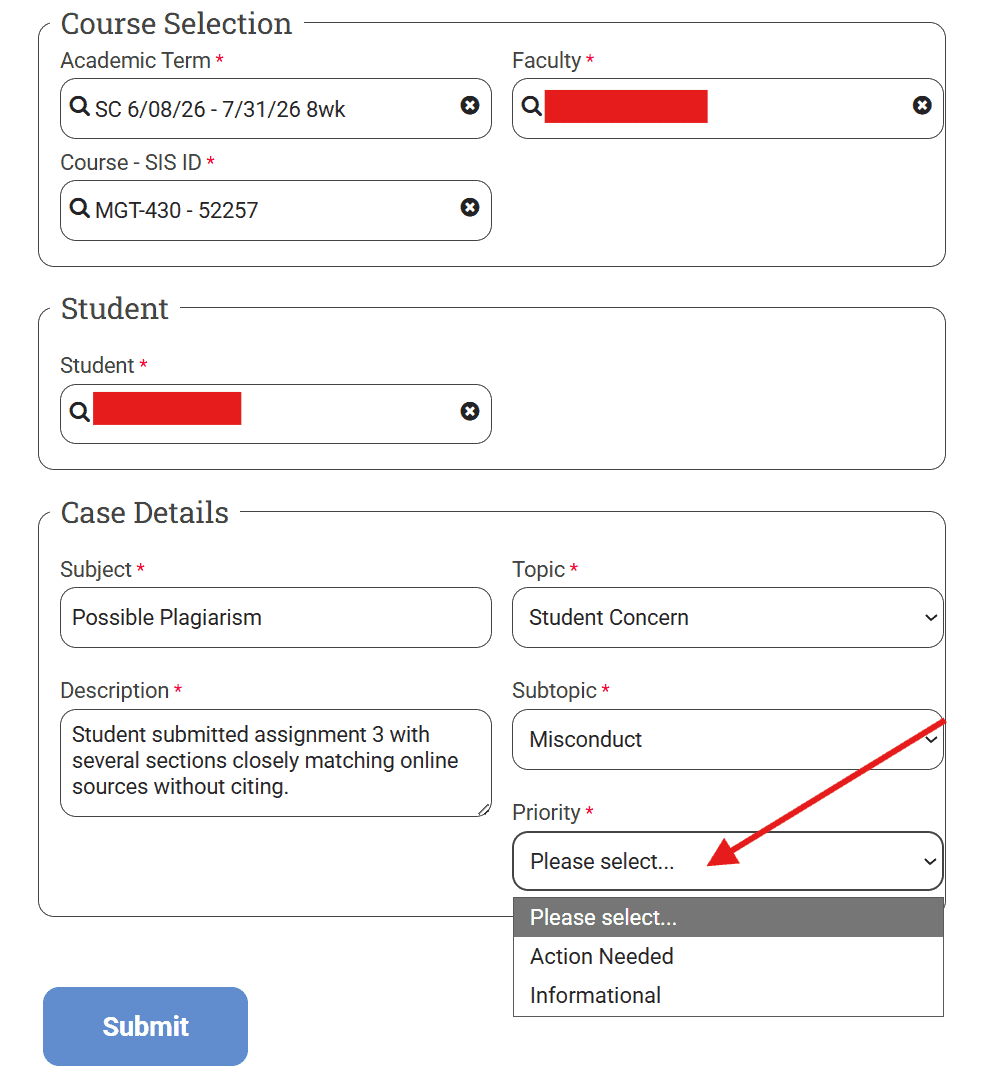
Select the appropriate priority level:
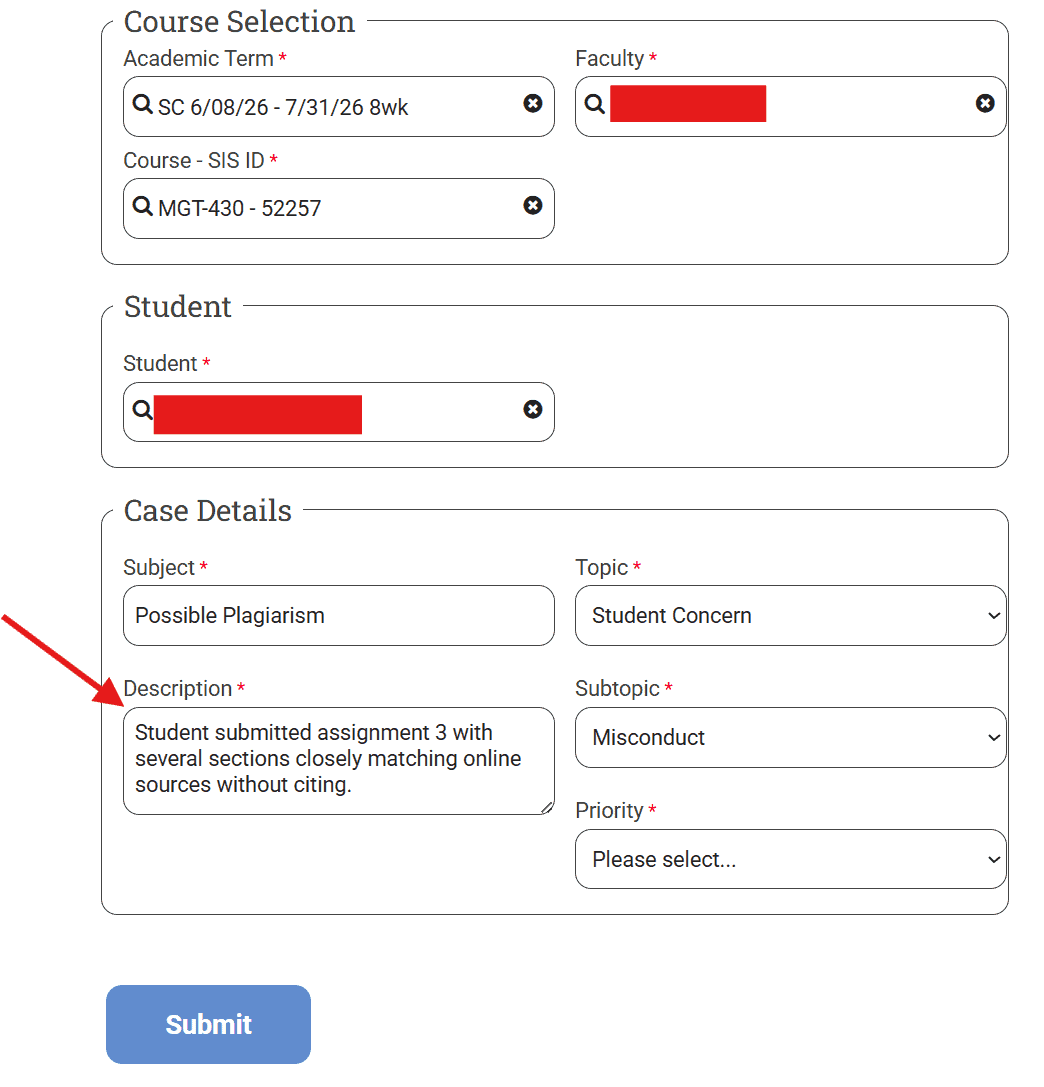
Enter a brief, clear subject line. It does not need to be long. Just a short summary of the concern.
The description should include all key details needed for follow-up or action.
A strong description answers:
Example (Helpful):
“Student shared that they are experiencing a family emergency and may be unable to meet assignment deadlines. Student is requesting guidance on available support resources.”
Not helpful:
“Student is having issues.”
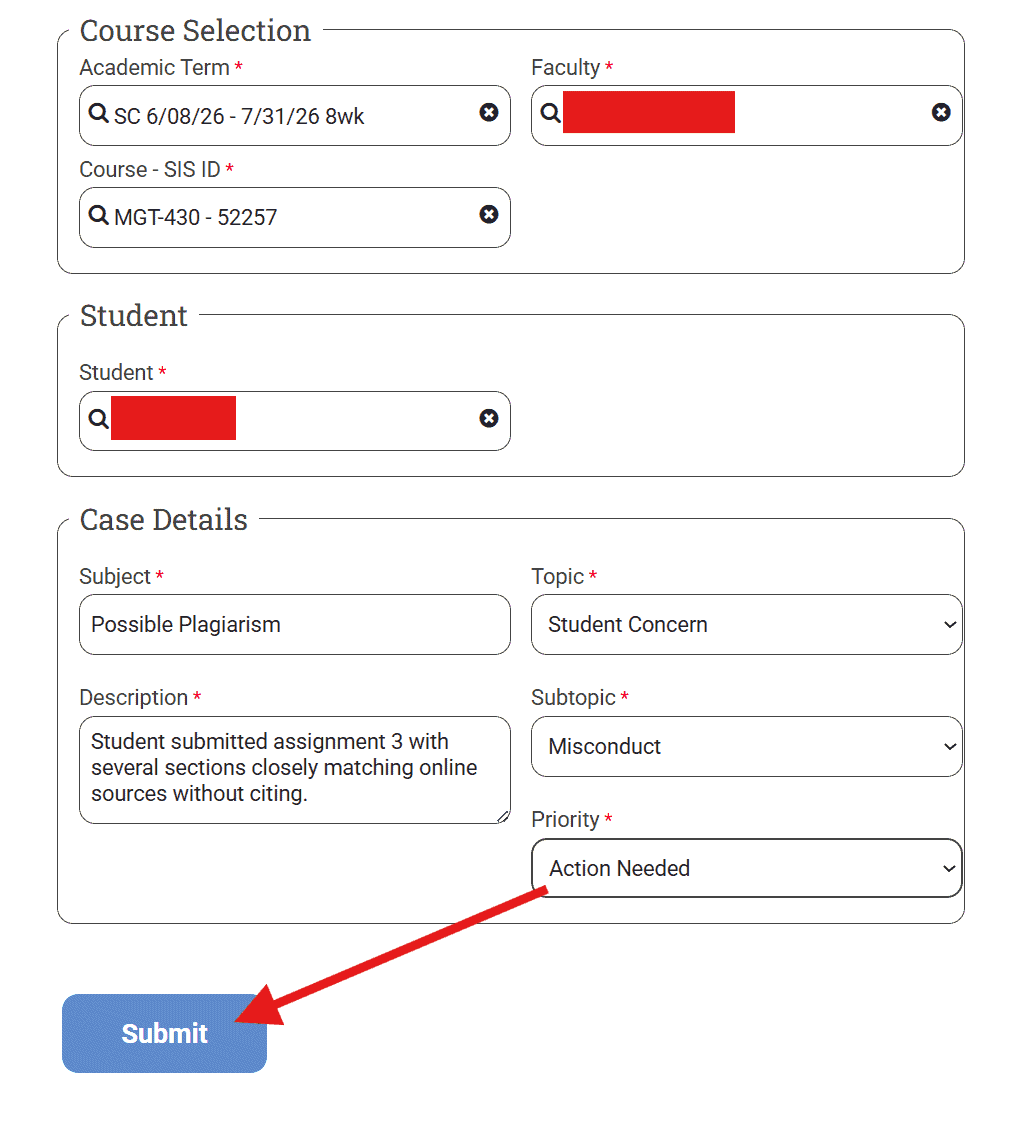
Click Submit to send the form.
After you submit the Student At-Risk Form, a case is automatically created and routed to the appropriate support personnel for review. Depending on the nature of the concern, this may include a Program Director, Success Coach, or another member of the student support team.
The assigned staff member reviews the information provided, conducts any necessary outreach, and works with the student to connect them with appropriate resources and support services. All follow-up activities are documented and tracked through Salesforce to help ensure the concern is addressed.
The Program Director will provide a brief follow-up to the faculty member to confirm that the concern has been reviewed and appropriate action has been taken. Due to student privacy considerations, faculty may not receive full details of the intervention, but you can expect that the concern has been reviewed and addressed through the appropriate support channels.
Initial review of submissions typically occurs within 1–2 business days, with follow-up timelines depending on the urgency and complexity of the concern. If faculty need clarification on whether a submission was received or are unsure about status, they may reach out to their Program Director for confirmation.
Once the necessary actions have been completed, the case is closed in Salesforce. This process ensures that faculty concerns are acknowledged, reviewed, and resolved through a structured support workflow.
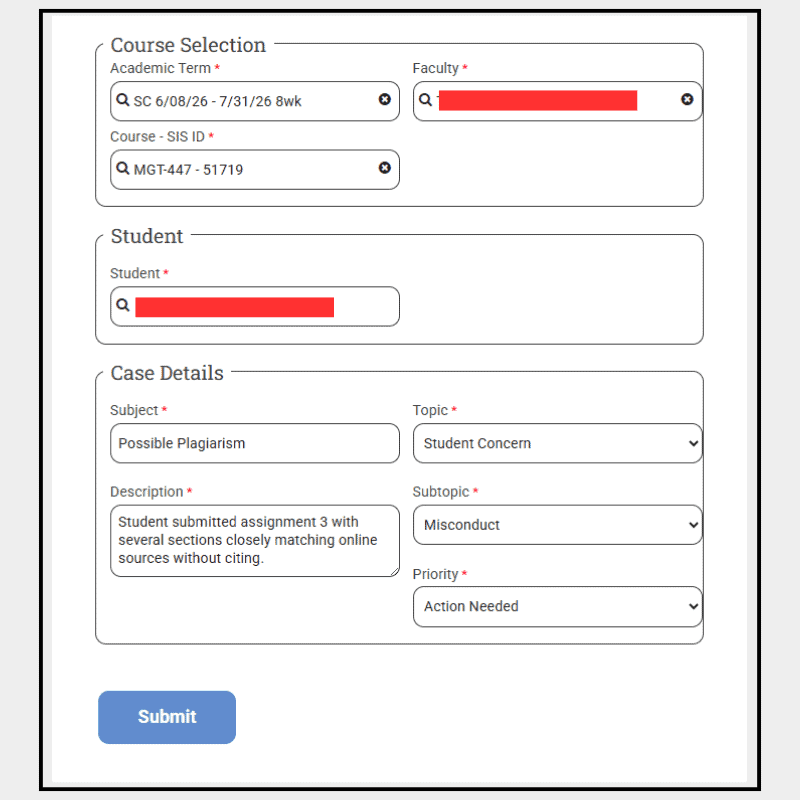
Select Action Needed if the student may need follow-up, support, or outreach from another department or service. This is the most common choice and should be used whenever someone needs to step in or provide assistance.
This also includes situations like possible plagiarism or AI-related academic integrity concerns, where you as the instructor may need guidance or a formal review to determine next steps.
Select Informational only when you are sharing a concern for awareness and no follow-up or intervention is required.
If you are unsure, choose Action Needed.
The Description section should include all key details needed for action.
A strong description answers:
Example:
“Student submitted a assignment 4 that appears to contain content copied from an online source without citation. Similarity review indicates substantial overlap with published material. Faculty is requesting follow-up regarding a potential academic integrity concern.”
Not helpful:
“Student plagiarized.””
After submitting a form, adjunct faculty should:
If an academic integrity concern is suspected, it should be documented and submitted through the Student At-Risk Form.
Faculty should:
The Program Director (PD) will review the concern and determine appropriate next steps.
Once submitted through Canvas:
The Program Director will determine appropriate next steps, which may include:
Submissions are routed to the appropriate support team. Follow-up may occur if additional information is needed.
In many cases, the Program Director coordinates next steps directly with the appropriate parties involved, including the adjunct.
Due to confidentiality and student privacy considerations, faculty may not always receive detailed outcome information.
Copyright 2025 | Bryan University | 350 West Washington Street, Tempe, AZ 85281