Yellowdig Quick Reference Guide

Creating A Yellowdig Engage Community

Student using mobile device with backpack, representing Yellowdig platform for online engagement and learning support.

Need help getting started with Yellowdig? This quick reference guide walks you through the essential steps to set up your Yellowdig community, connect it to your LMS, and start engaging your students in minutes.

➡️How to use this guide: Start with the video for a full overview, then use the steps below as a checklist while you set up your Yellowdig community in your LMS.
▶ Watch the full setup walkthrough video

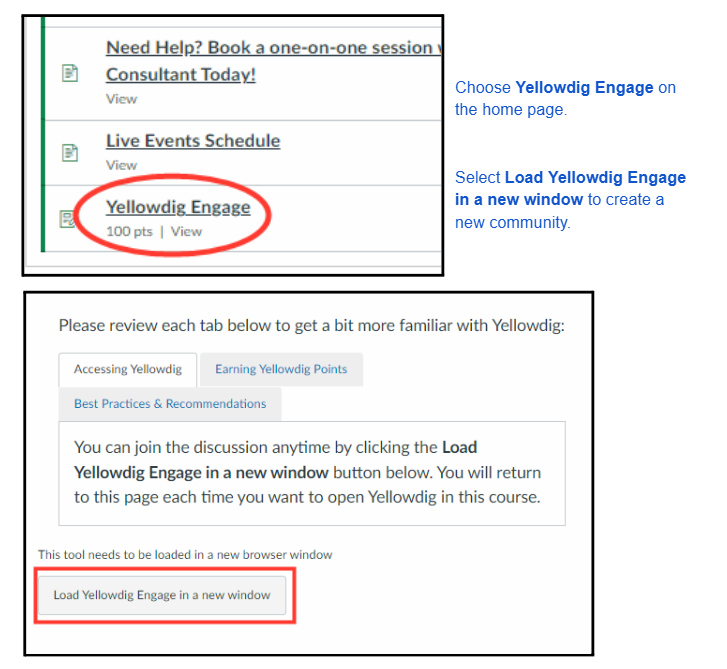
Step 1: Access Yellowdig Engage

Screenshot of Yellowdig Engage platform with navigation options for BU Resource Center students.

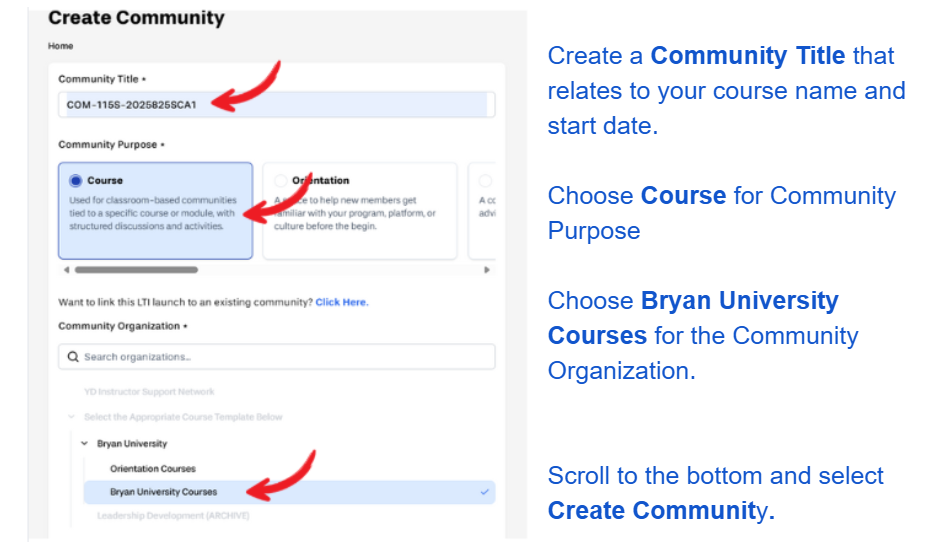
Step 2: Create a New Community

screenshot

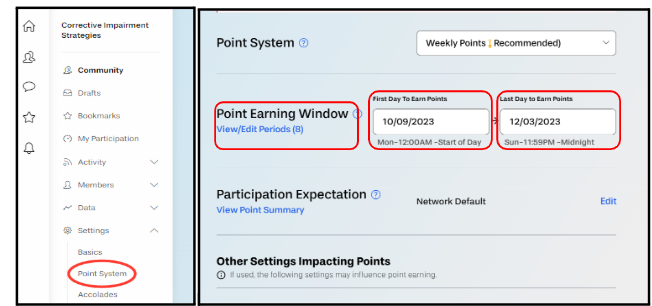
Step 3: Go to the Point System Configuration Page

Visual guide showing the Point Earning Window and Point System settings in Yellowdig for BU Resource Center.
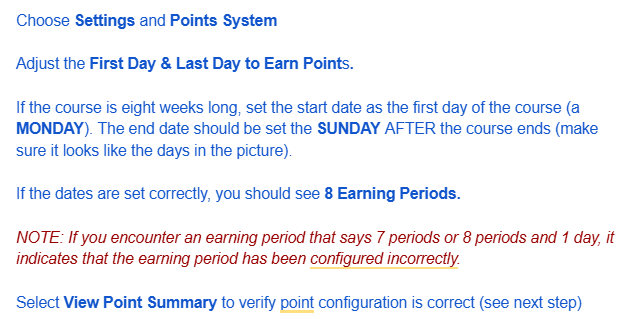
Quick reference guide for Yellowdig platform at BU Resource Center, providing tips on points system, course settings, and earning periods.
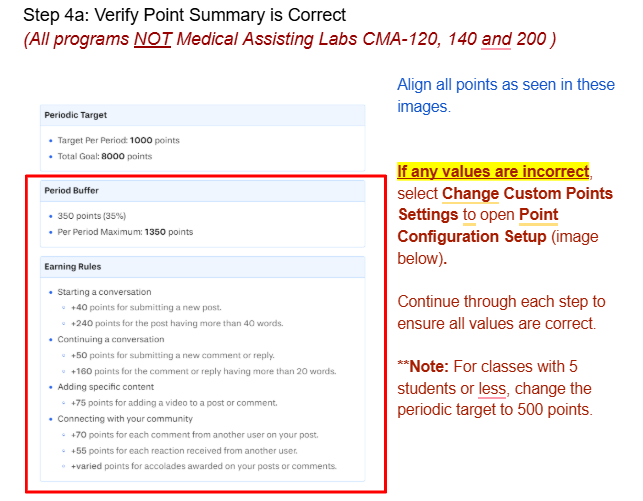
Visual guide for Yellowdig platform features, including point system and conversation rules, for BU students and staff.
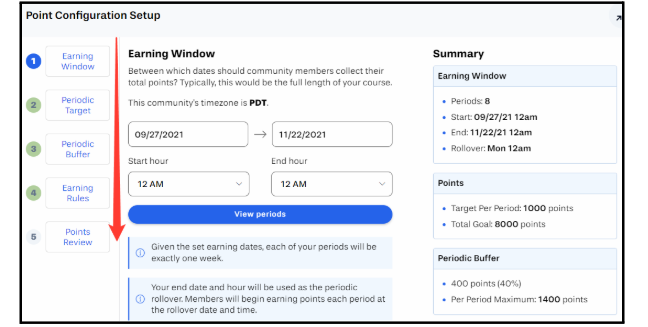
Visual guide for setting up the earning window in Yellowdig, including start/end dates and points review.
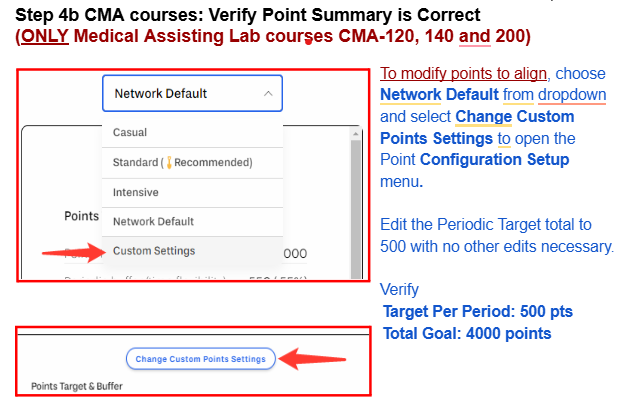
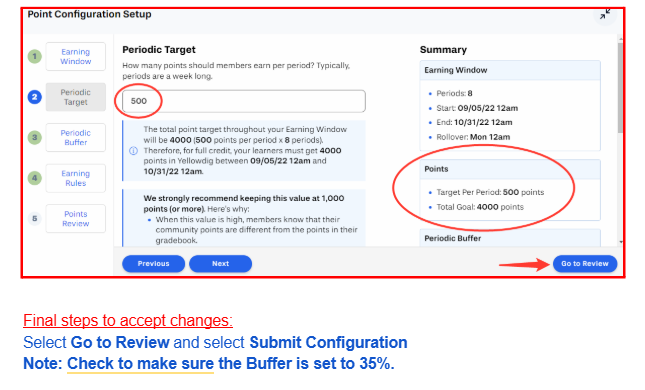
Screenshot of Yellowdig platform showing how to verify point summaries in the BU Resource Center. Includes dropdown menu, custom settings, and point configuration instructions.
Steps 4 Form Submission

⭐⭐⭐⭐For courses with 5 students or fewer: The point configuration differs. Watch this short video for step-by-step guidance on setting up your Yellowdig community for smaller classes:

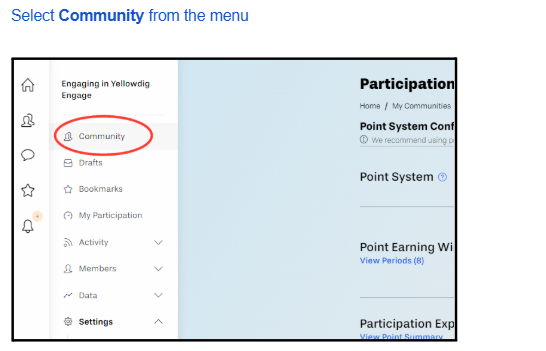
Step 5: Return to the Community Home Page

Steps 5 Form Submission

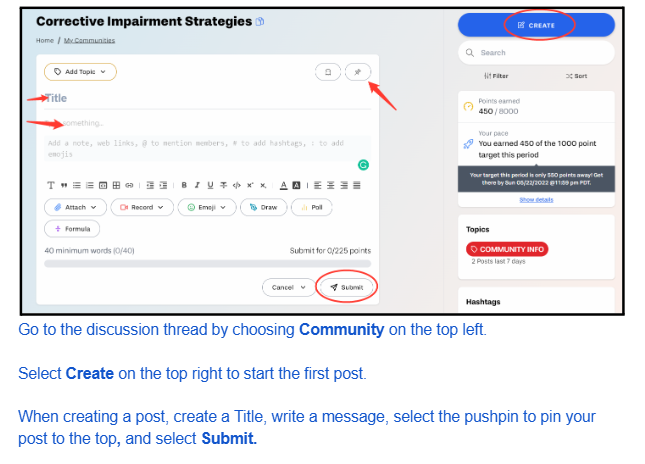
Step 6: Create Your First Post

Steps 6 Form Submission

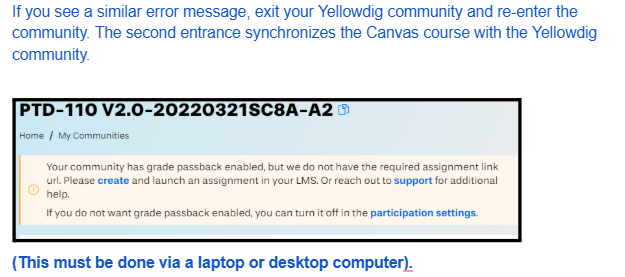
Step 7 (Final Step): Exit and Re-Enter Yellowdig

Steps 7 Form Submission

Copyright 2025 | Bryan University | 350 West Washington Street, Tempe, AZ 85281

BRYAN UNIVERSITY LOGO SEAL

Copyright 2025 | Bryan University | 350 West Washington Street, Tempe, AZ 85281